
Group Exercise Reservations
.jpg)
We have recently updated our Group Exercise reservation system and APP! Your login and password from the previous Group Ex Pro Reservations will no longer work. Whether you are registering through the website under Group Ex Reservations, or our NEW Daxko Mobile APP  , you will use the email associated with your established member or non-member account with the Geneva Lakes Family YMCA.
Geneva Lakes YMCA Members and Non-Members currently in our system:
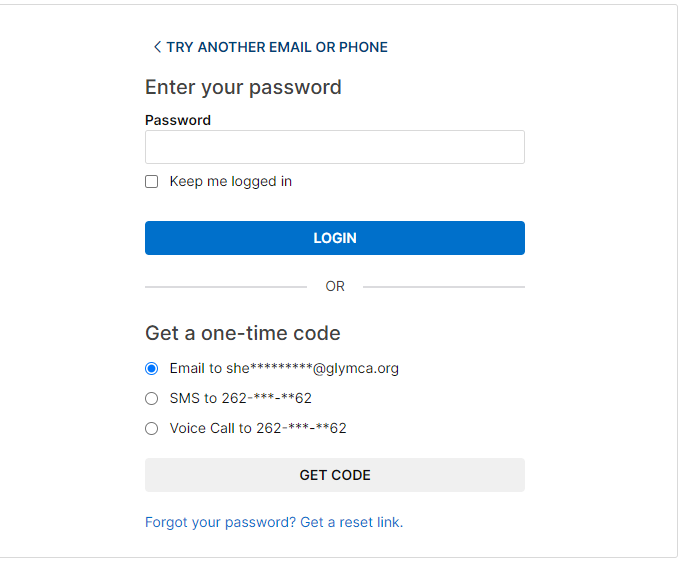
You will now use Daxko to make a class reservation. Daxko is the software the YMCA uses for all membership and programs. If you have an account in our system, but have never accessed it online to register for a program or look at your membership profile, you will need to log-in and set up a password. Your log-in is the email that you have provided us for your Daxko account. Click "Forgot Password" to prompt options to create a password to gain access to your account.
NOT in our system?
Call 262.248.6211 and set up a non-member account over the phone with one of our Membership Associates. Did you know that the majority of the Group Exercise classes are included in a membership? If you are interested in becoming a member at the Geneva Lakes Family YMCA, please stop into our facility and our Membership Associates will help you get set up!
Registering for a Group Ex class through our website
Register by clicking the REGISTER button
1. Click on the REGISTER button in the upper right hand corner of the screen.
2. Click on the Group Ex tab to view the Group Exercise class offerings. Choose your class and click "Reserve".

3. Type in the email linked to your Daxko account. If you are unsure what that may be, call the Y at 262.248.6211.
You can also enter your phone number, but this is likely linked to everyone on the account, including any children, so the system will not be able to decipher who is trying to access your account and will prompt you to enter your barcode. Your barcode can be found on your membership key tag.
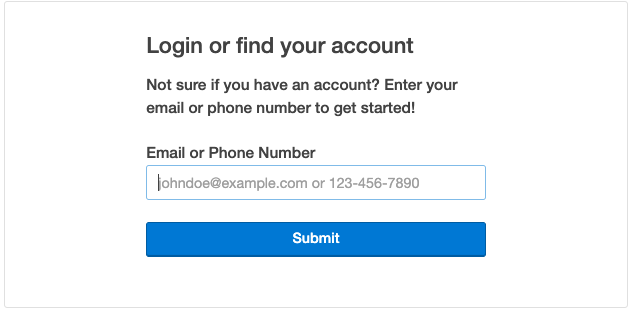
4. If you entered the correct email, type in your password, and follow the code instructions. Use the forgot password if necessary.
5. Choose the person from the list who would like the reservation and click "Reserve".
You made a reservation! You will be able to view your registrations under the Activities section and "Visits" on your Daxko account. By clicking "View all" you will be able to add the reservation to your personal calendar or cancel if needed.
To make a reservation under the "Schedules" tab on our website
1. Hover on "Schedules" and click on Group Ex Reservations
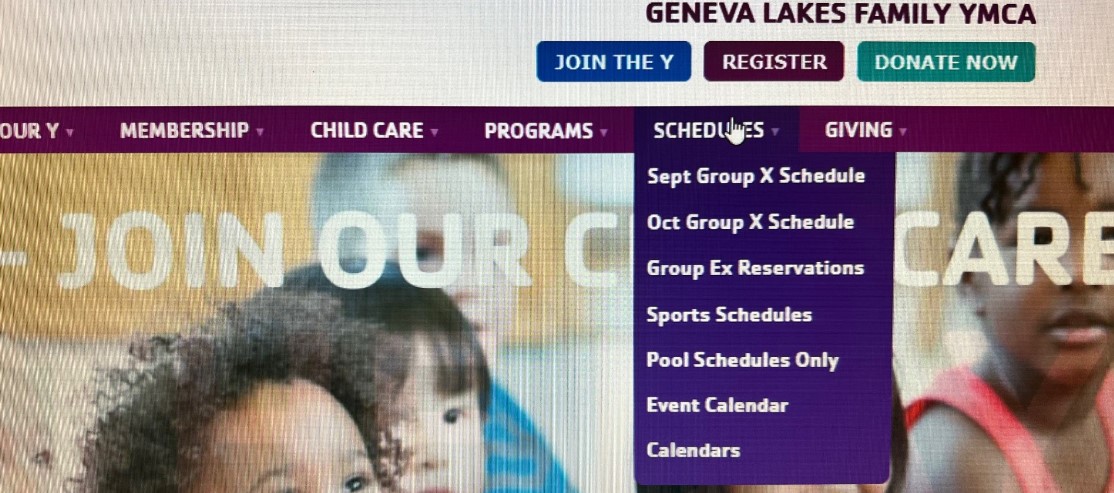
2. Choose your class and click "Sign Up" . Follow the same instructions above to access your Daxko account.
Now you have made a reservation!
Registering for a Group Ex class through the NEW Daxko APP
1. Download the Daxko APP (blue/purple square edges) from the APP store on an Apple phone or the Play Store on an Android.
2. Type in 53147 when prompted to enter a zip code. Choose Geneva Lakes Family YMCA.
3. Log in as a Guest or a Member using the email associated with your established Member or Non-Member account with the Geneva Lakes Family YMCA.
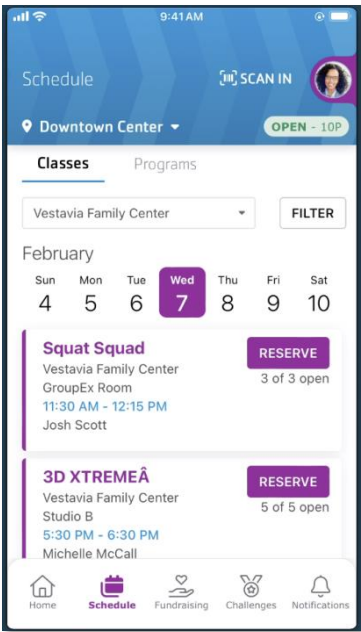
4. Click Schedule at the bottom of your screen.
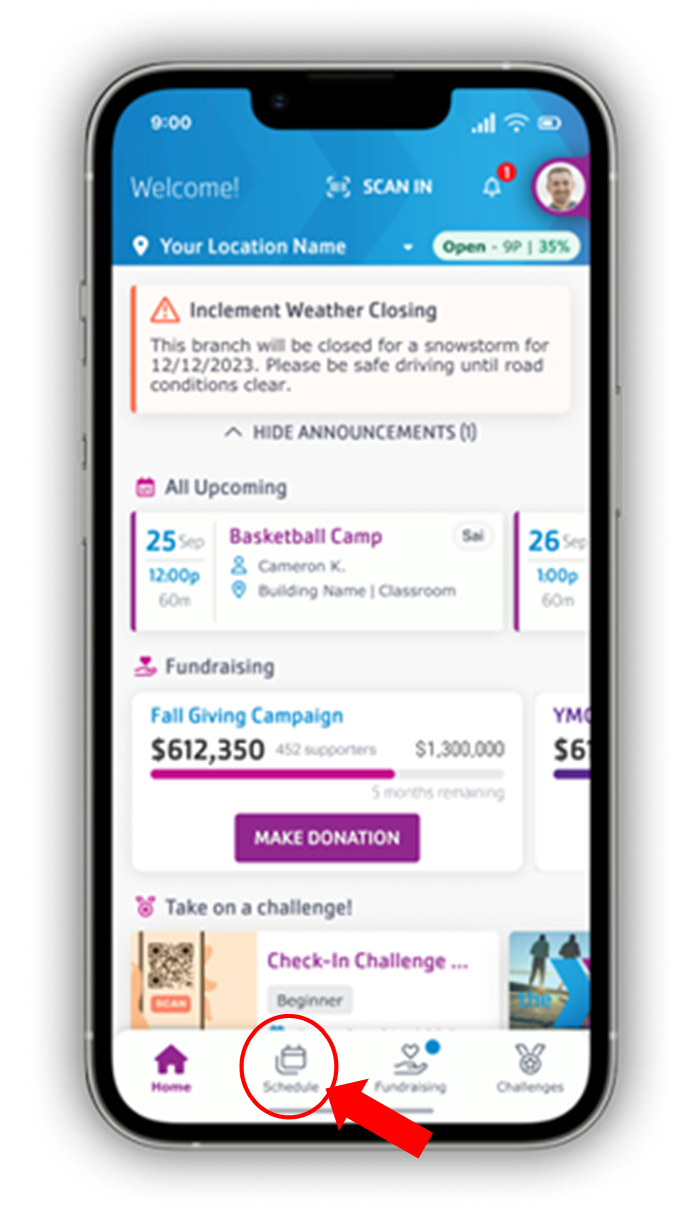
4. Click the "Classes" tab to view the Group Exercise class schedule and to make a reservation. Reservations can be made within 24 hours of the class.
4. Click "Sign Up", then click "Reserve" to secure your reservation. If you get put on the waiting list, you will receive an email if someone cancels and you have been moved into the class. Non-Members will not be able to be on the waitlist.
Now you have made a reservation!